How to Use an AI Resume Builder to Create a Job-Ready Resume
Creating a resume that stands out can take hours — but it doesn’t have to.
With Resumaro’s AI Resume Builder, you can transform any document into a polished, job-ready resume in just a few minutes.
Whether you start from scratch or import an old file, the AI reads, enhances, and formats your resume automatically — while you stay in control.
For teams that need the same simplicity at scale, AI Recruiting Tool Resume Parsing explains how parsed profiles flow into your AI resume builder and exports.
Step 1 – Import Your Resume (Any Format Works)
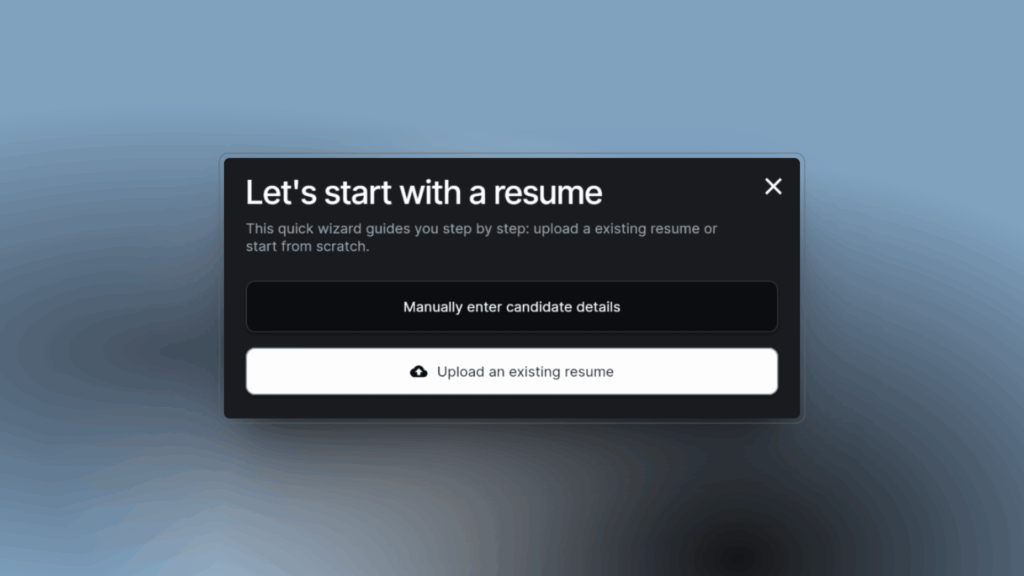
The first step is simple: upload your existing resume.
Resumaro’s AI Resume Builder accepts all common file formats, including PDF, DOCX, and TXT. You don’t need to worry about layout or structure — the AI automatically reads and extracts all key information such as your name, contact details, skills, education, and experience.
Even if your resume isn’t perfectly formatted, Resumaro’s parser understands it. You’ll see your details neatly organized and ready for editing.
Step 2 – Let AI Read and Structure Your Resume
Once uploaded, the AI analyzes your resume content.
It identifies sections like job titles, dates, and achievements, then converts them into a clean, structured layout.
This saves time and ensures nothing gets lost in formatting.
The AI Resume Builder also recognizes keywords, making it easier to optimize your profile for applicant tracking systems (ATS).
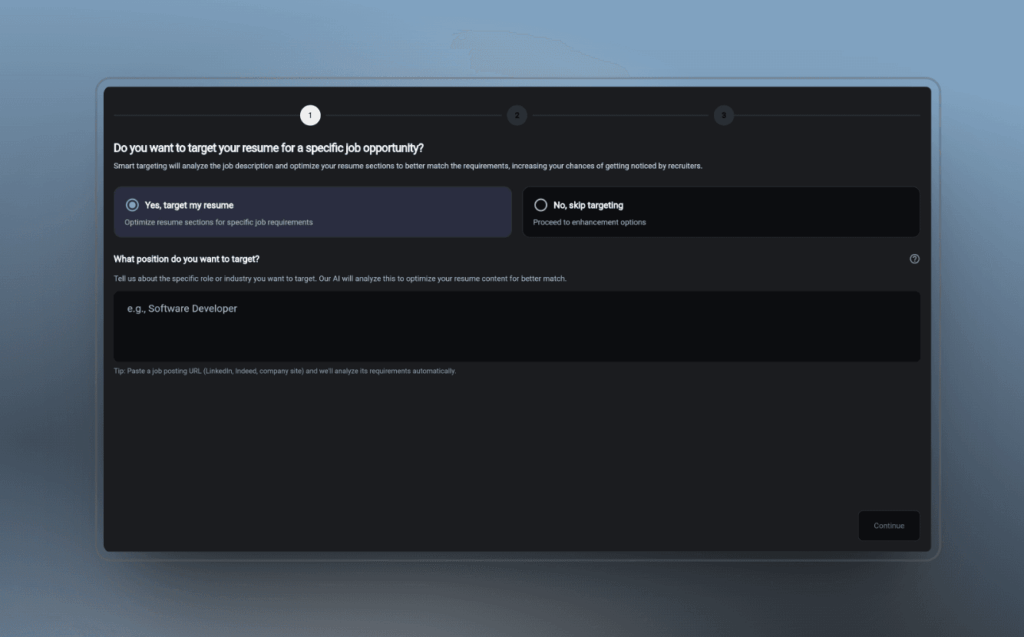
Step 3 – Smart Targeting with a Job Title or Vacancy URL (Optional)
Want to tailor your resume for a specific position?
You can enter a job title or paste a vacancy URL. The AI instantly adjusts your resume tone, skills, and summary to better match the job description.
This feature helps you create a more focused and relevant resume — increasing your chances of getting noticed by recruiters.
Step 4 – Choose What to Enhance
Next, decide how much AI help you want.
You can enhance your entire resume automatically or focus only on specific sections — like your professional summary, work experience, or skill list.
The AI will correct grammar, improve phrasing, and highlight your most relevant achievements. This way, you keep control over what’s changed while still saving time.

Step 5 – AI Generates or Polishes Your Summary
Your summary is one of the most important parts of your resume — and often the hardest to write.
Resumaro’s AI can write one for you from scratch or refine your existing text.
It creates a clear, confident paragraph that highlights your strengths, experience, and goals. You can always make manual edits to add a personal touch.
Step 6 – Review and Fine-Tune Your Resume
After the AI enhancements, review your resume.
You can manually adjust wording, add missing details, or remove anything you don’t need.
This step ensures your resume reflects your personality and stays accurate — with AI as your helpful assistant, not your replacement.

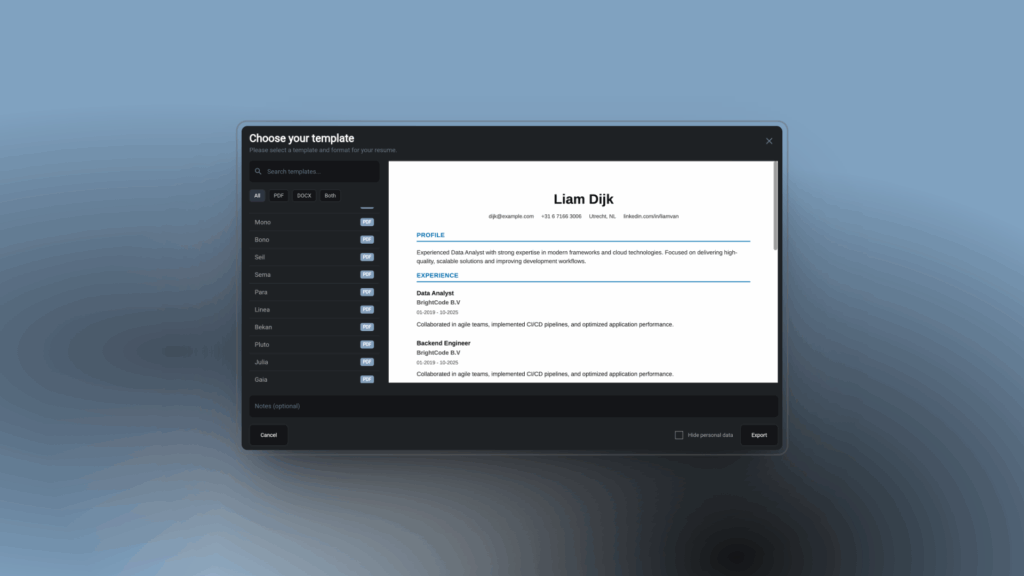
Step 7 – Choose a Template and Export
Now comes the fun part: design.
Select a professional template from Resumaro’s library or upload your own company-branded layout.
You can preview your resume instantly and export it to PDF or DOCX format.
Everything is ready to send, share, or upload to a career portal.
Why Resumaro’s AI Resume Builder Stands Out
- Works with any file format
- Reads and organizes content automatically
- Smart targeting with job title or vacancy link
- Choose full or section-based AI enhancement
- Write or fix summaries automatically
- Supports custom templates and instant export
Resumaro combines parsing technology with advanced AI writing.
As a result, you can produce high-quality, ATS-friendly resumes — without spending hours on formatting or rewriting. Click here for even more features.
Start Building Your Resume Today
Creating a professional resume has never been faster or easier.
Import your existing file, enhance it with AI, and export your finished version — all in one smooth workflow.
If you’re rolling this out across a team, see how an automated resume builder cuts the formatting grind for recruiters.